Article Detail
9 Common Rendering Patterns in Web Development — Next.js and Server-Side Rendering
2024-07-20MDX POCen
Reading Companion
Build the article's map first, then dive into each section's details.
This article is really about three things: where pages are generated, when they become interactive, and what content updates cost. Let's lay those three axes down first.
In focus
SSR · Server-Side Rendering
The server emits HTML upfront, so first paint feels stable — best for content-heavy and marketing pages.
- How interaction takes over
- Read first, take over later
- Content freshness
- 82/100
Introduction to Next.js Server-Side Rendering
This website is built with Next.js, which automatically applies optimal rendering strategies for each page without any extra configuration.
For example, this site’s homepage uses SSG (Static Site Generation) — once built, the page data never changes. Meanwhile, “My Blog” uses SSR (Server-Side Rendering) to dynamically render pages. You might notice that when you update an article in “My Blog,” the “Latest Blogs” section on the homepage doesn’t reflect the change. This is because the homepage and blog use different rendering strategies — all automatically selected by Next.js without manual configuration.
While we don’t need to configure these manually, understanding the principles behind each rendering approach is still valuable. This article introduces common rendering strategies and their use cases, with a focus on comparing CSR and SSR.
1. Early Web Rendering: 100% SSR
Early web pages were 100% server-rendered, with HTML files and data bundled together — typical of traditional backends like Django and PHP.

The obvious drawback: every link click required a full page reload, and web interactivity was limited.
2. The Ajax Revolution and SPAs — CSR (Client-Side Rendering)
Around 2010, Ajax technology emerged, enabling requests without page reloads, giving users an app-like experience. Typical examples: Angular, React, Vue.
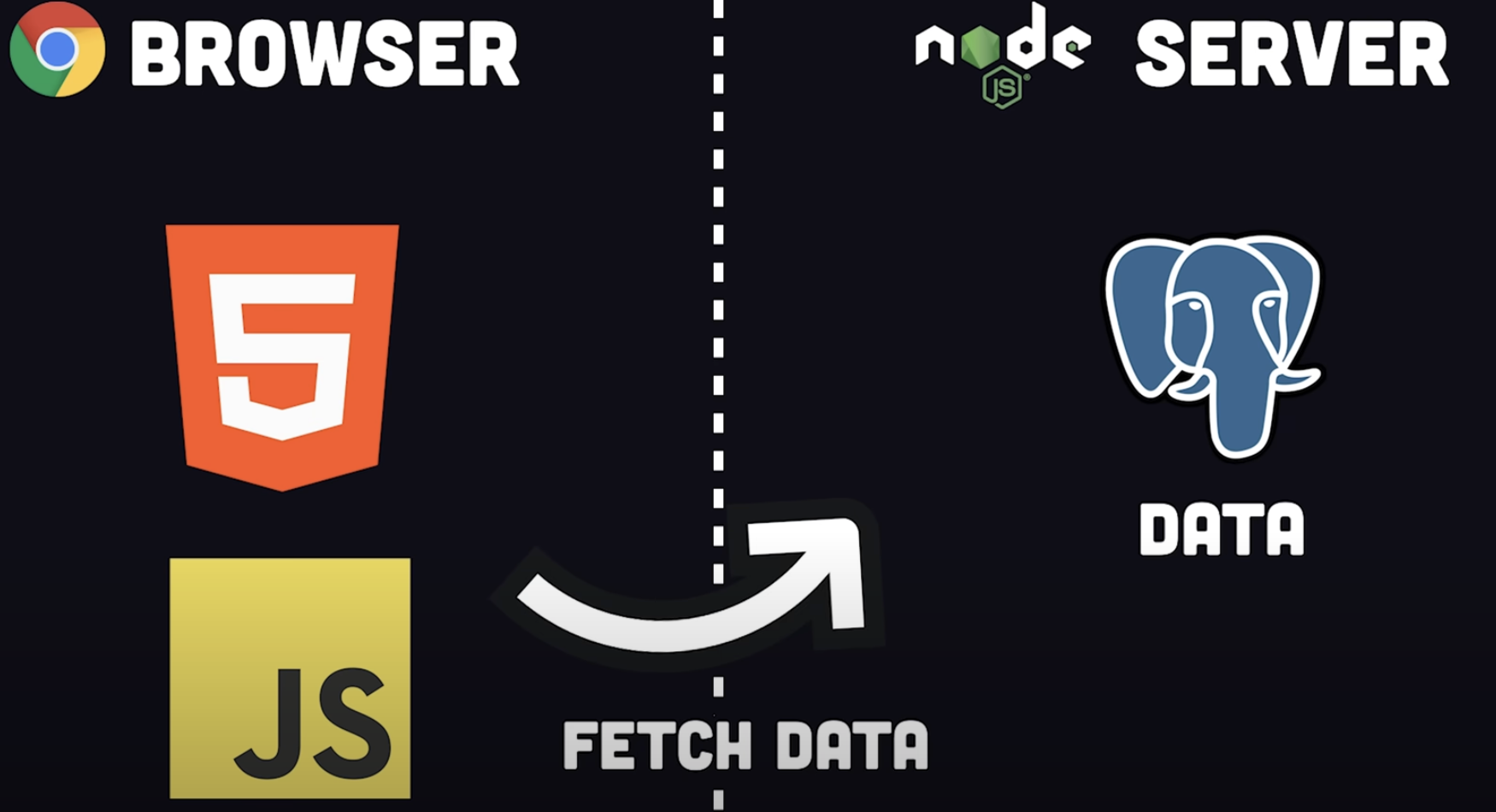
In CSR, the client first loads an HTML skeleton, then executes JavaScript to render the UI and fetch data. Single-page applications can have their own routes, managed entirely by client-side JavaScript rather than the server. The increasing complexity of client-side JavaScript is what drove the modern “frontend-backend separation” architecture.
Drawbacks of CSR:
- The JavaScript bundle grows massive, causing long initial load times and white-screen moments
- Search engines still struggle to understand content within dynamic routes, hurting SEO
- Data-fetching code is bundled in the client JS, potentially exposing server vulnerabilities to attackers

CSR Loading Flow:
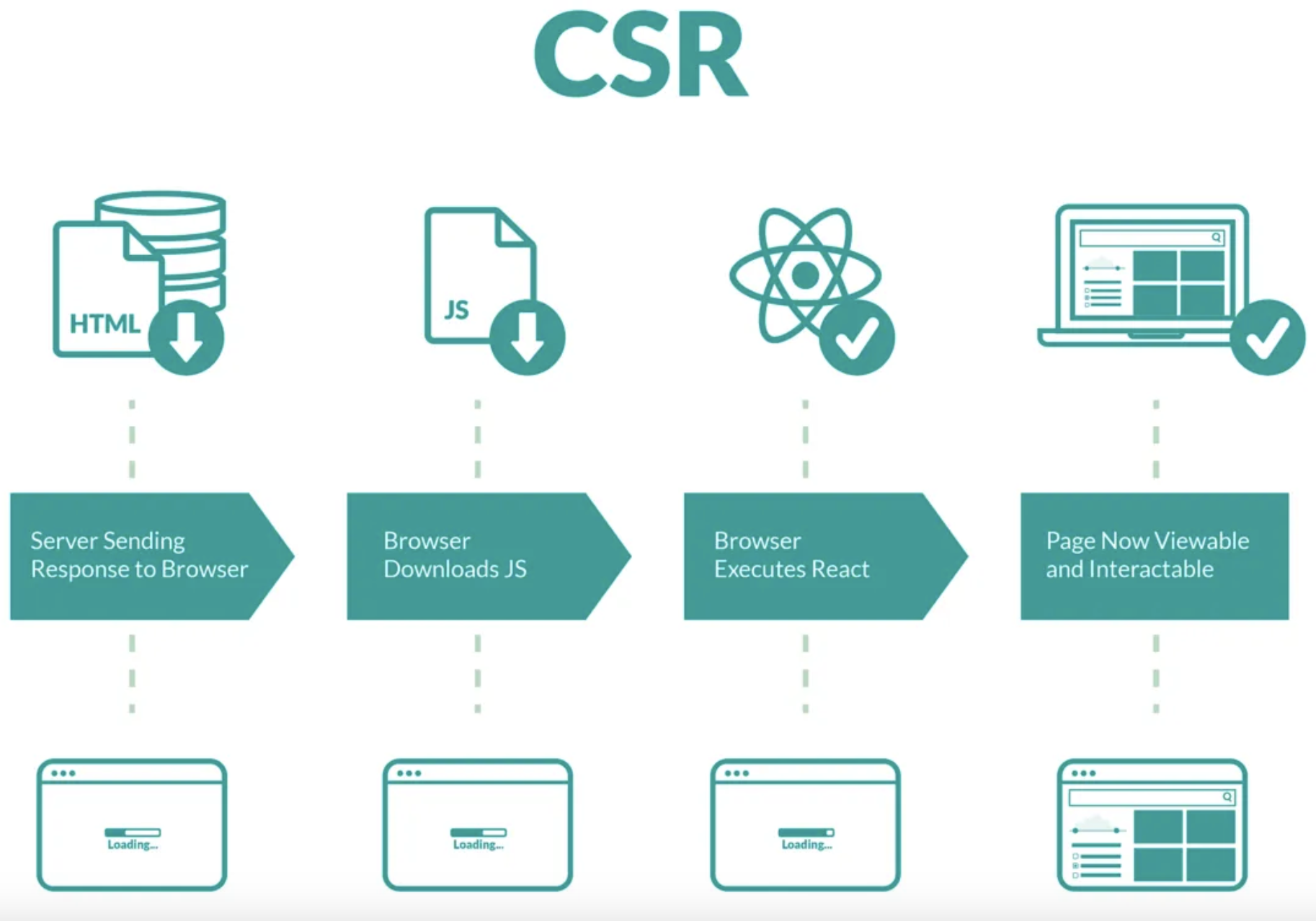
- Client sends request → server responds with HTML
- Browser downloads a large JS bundle
- Browser parses the JS bundle
- UI and interactivity render simultaneously
During download and parsing, users see a blank page — the white-screen time before First Contentful Paint.
Section Focus
Turn the article's CSR-vs-SSR description into a switchable load timeline.
CSR's bottleneck lives in the browser
High white-screen risk, weak SEOAn empty shell first, then the bundle, then the browser pieces together both content and behaviour.
1
Return the HTML shell
Page structure exists, but real content does not.
2
Download a heavy JS bundle
Framework, router, and data layer all ship to the client.
3
Parse and execute
The browser must understand the code before it can paint.
4
Fetch data afterwards
Data and UI assembly continue in the browser.
3. SSR with Hydration
Years later, SSR returned as a refined rendering strategy. Like the 100% SSR pattern from Section 1, HTML and data are rendered on the server. The difference: a smaller JavaScript bundle takes over the page afterward, providing a single-page app experience. Typical examples: Next.js, Nuxt.js, Svelte.


This rendering approach requires an additional server for SSR.
SSR with Hydration Flow:
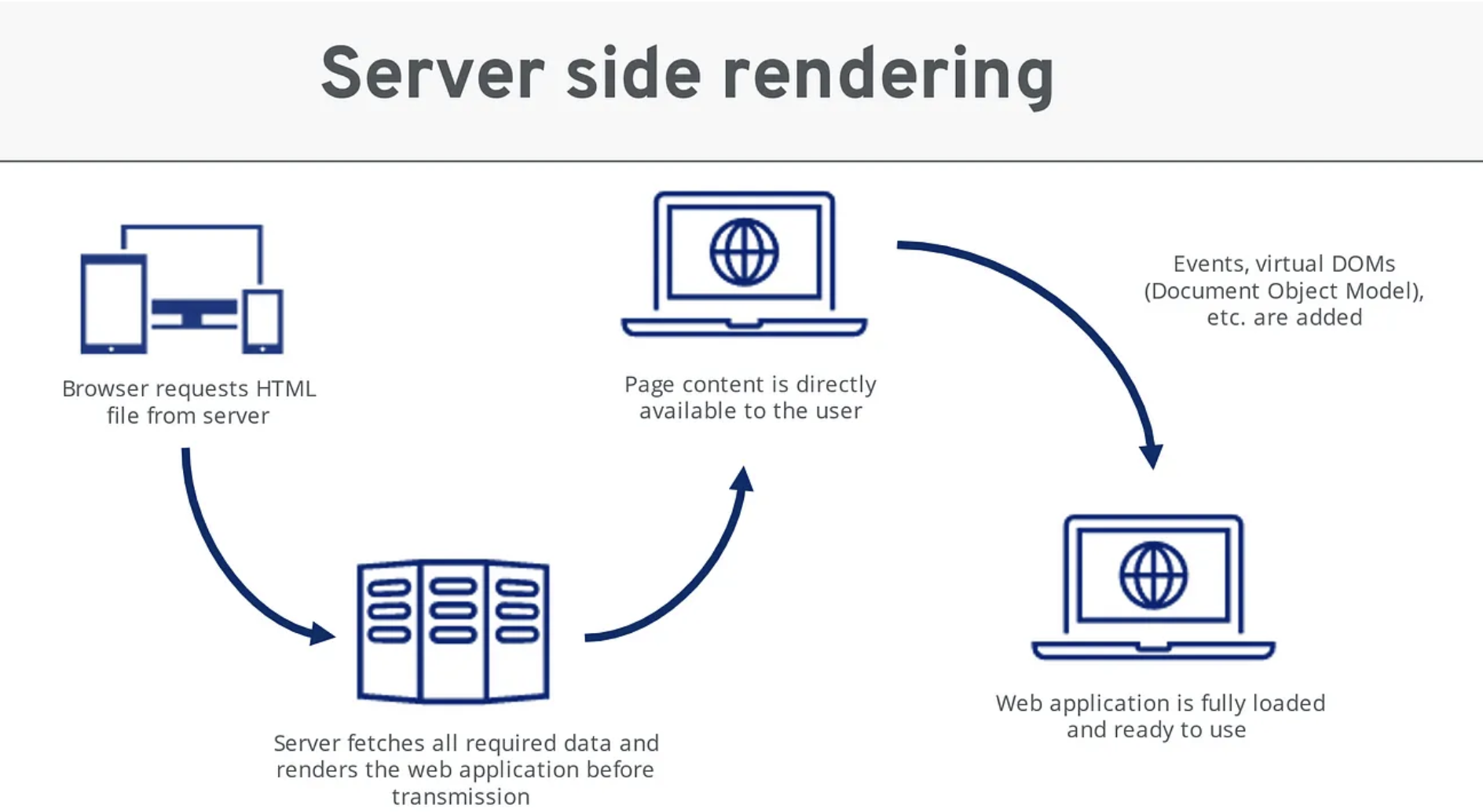
- Browser sends request → server (e.g., Next.js) fetches all required data, runs React to generate the static HTML, sends to client
- User can see content immediately (fast First Contentful Paint)
- A smaller JS bundle arrives and hydrates the HTML

Now the page is fully interactive.
Hydration Snapshot
The point of this section isn't 'server-side rendering' — it's the two-stage experience of content first, interaction second.
1
Users see the full page first
The browser receives content, not an empty shell, so the perceived speed is steadier than CSR.
2
A smaller script arrives to take over
Interaction is wired up shortly after — hydration still costs something, but far less than full-page CSR.
4. Full SSR — Next.js Server Components
Next.js took SSR further by distinguishing between Client Components and Server Components:
- Client Components: Rendered as HTML on the server, then a small JS bundle ships to hydrate them and take over interactivity (the SSR-with-hydration model)
- Server Components: Completely no JS bundle required, making them even more performant. Data fetching happens entirely on the server, avoiding sensitive data leakage to the client. The obvious drawback: Server Components have zero interactivity — no React lifecycle, DOM event listeners, window resize handlers, or browser APIs
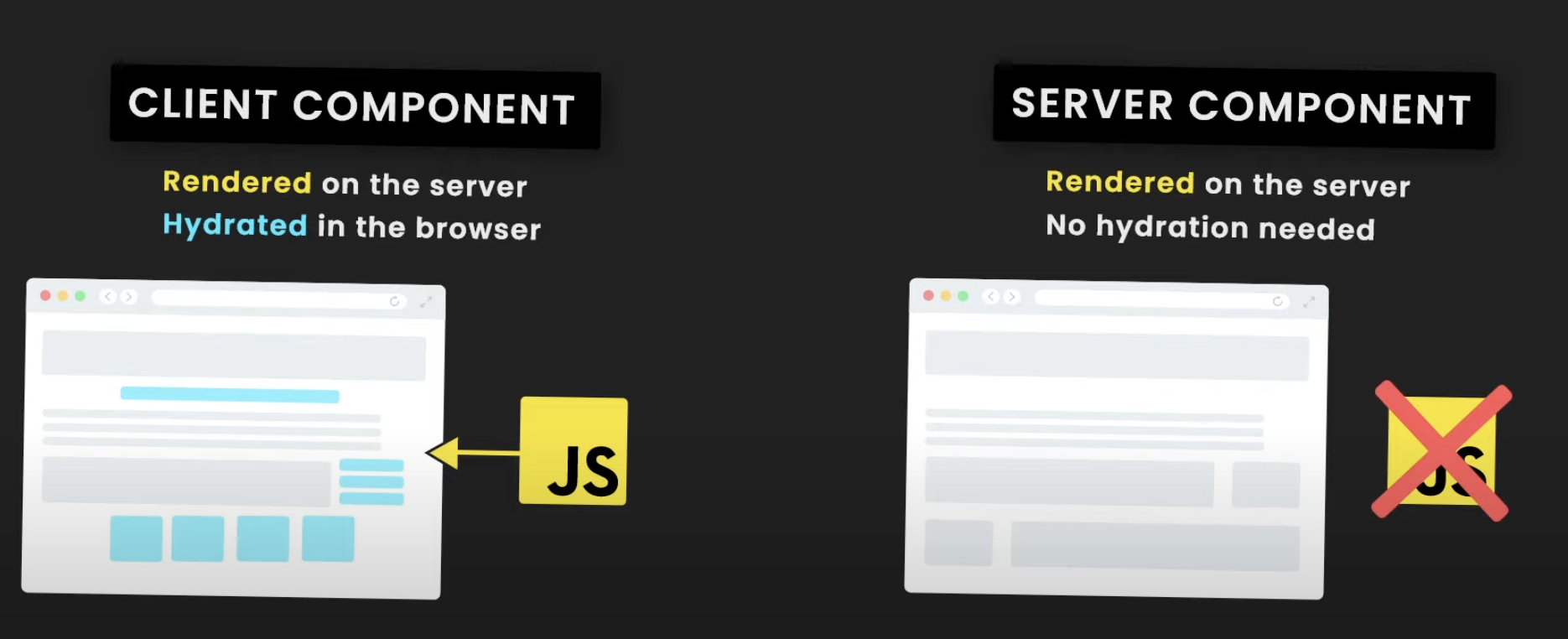
In Next.js, you typically combine both. Here’s Next.js’s official guidance on when to use each:
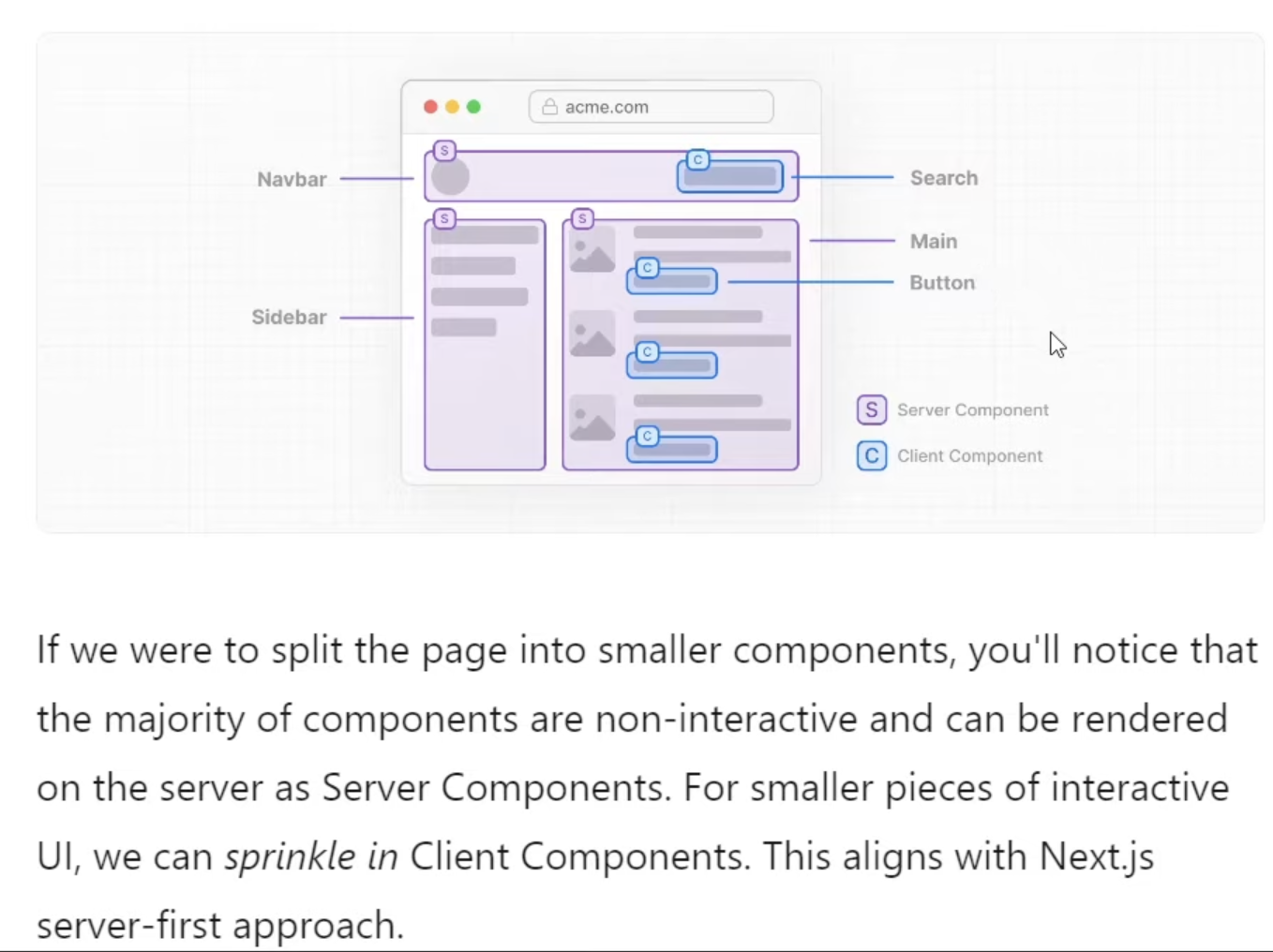
About Server Components
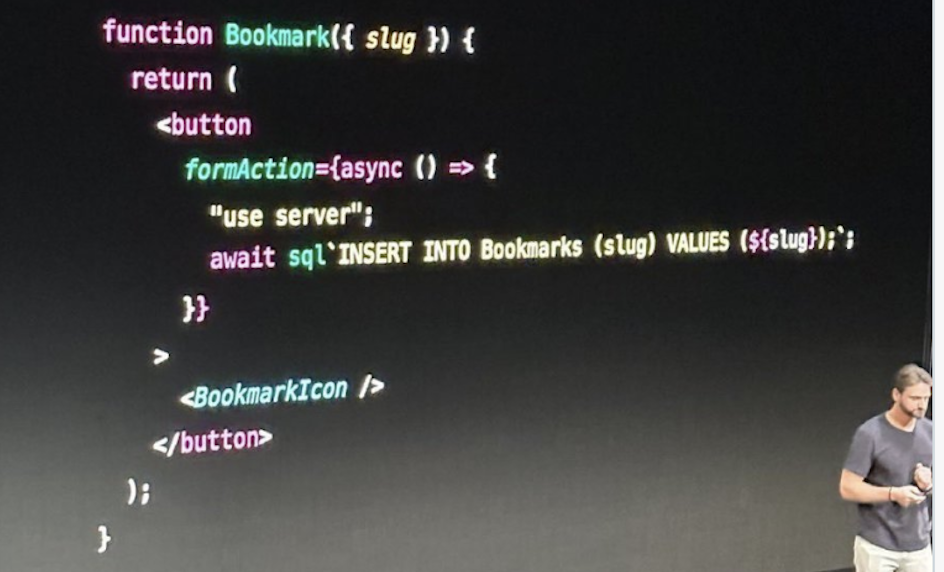
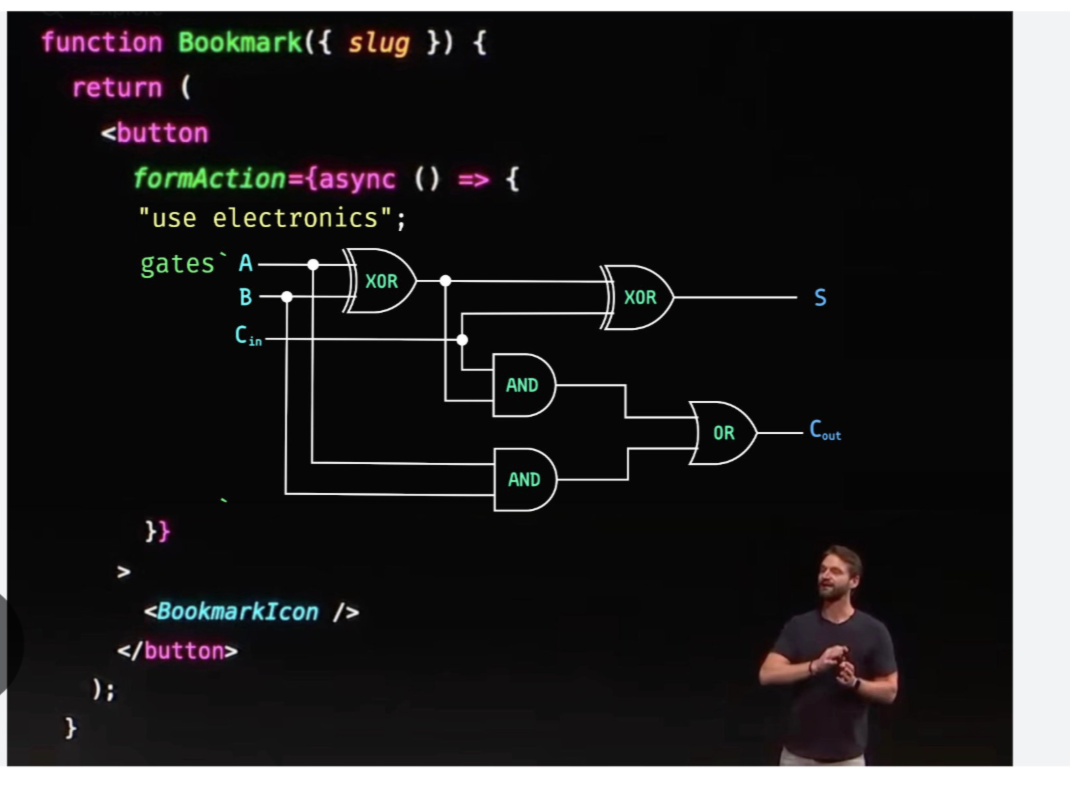
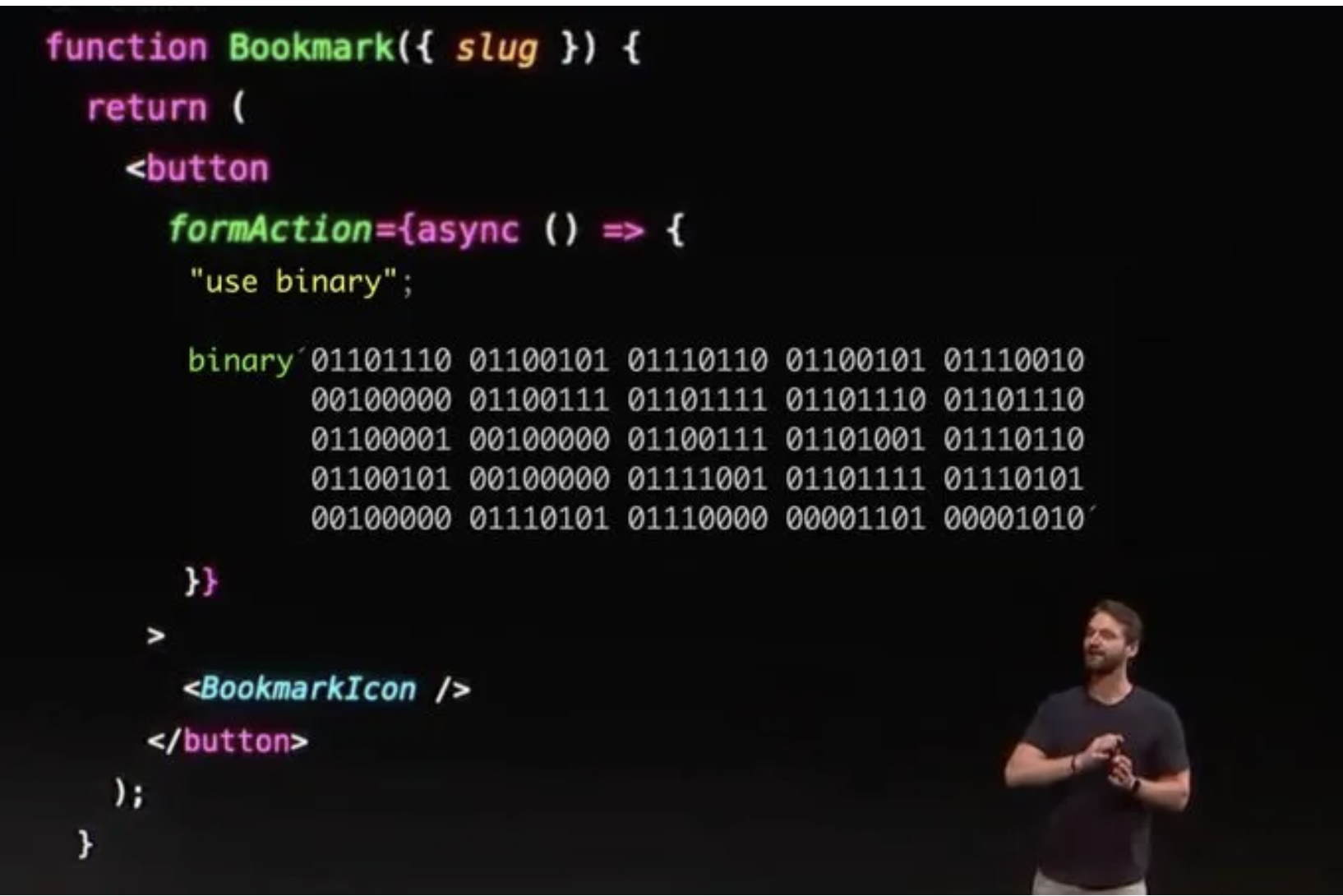
Many React third-party libraries are now distinguishing between client and server components, so understanding this is increasingly important. Server Component data fetching runs entirely on the server. Building on this server-only execution model, Next.js 14 also introduced Server Actions (marked with the use server directive), which let you write SQL directly inside server-only functions — a feature that raised security concerns and drew criticism from developers about frontend developers being “too lazy” to write APIs.
Boundary Guide
The trickiest question in this section: which logic belongs on the server, and which on the client?
Querying the database directly
Great fit for a Server Component. Data stays on the server and sensitive logic is easier to protect.
Button clicks and form interactions
Not a fit for a pure Server Component — it has no browser event listeners.
First-paint content display
Prefer a Server Component. Better for first paint, SEO, and data fetching.
Listening to viewport size
Not a fit. The server has no `window` and no real browser environment.
5. Static Site Generation (SSG/Pre-Rendering)
As a complementary strategy, SSG pre-renders HTML at build time, then distributes to CDN servers. Like SSR with hydration, there’s a hydration process on the client side. Typical examples: Next.js, Nuxt.js, Svelte.

Advantages: Extremely fast page delivery, minimal server rendering work.
Drawback: Content can only be generated at build time — any data update requires a full redeployment.
6. Incremental Static Regeneration (ISR)
ISR addresses SSG’s redeployment pain point. Like SSG, it uses pre-rendering but can automatically build new static pages on the CDN. Developers write code to trigger rebuilds — either on a time interval or when data changes. Next.js makes ISR straightforward to implement.
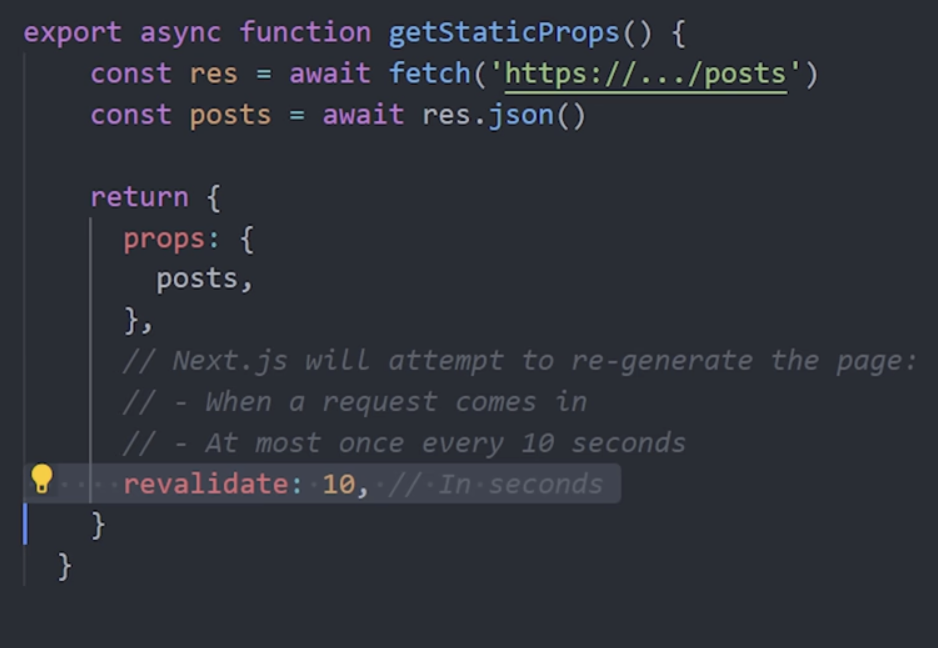
ISR combines SSG and SSR advantages while avoiding their drawbacks: clients get fast pre-rendered pages with dynamic data capabilities, while the server doesn’t exhaust resources rendering every request.
Drawback: Build and deployment have a learning curve. Using Next.js with Vercel makes this quick to set up.
Freshness Dial
SSG, ISR, and SSR don't just differ in 'how fast' — they differ in how often content changes and who pays for the refresh.
Content update model
Pages auto-replace with a fresh version on expiry or trigger.
Runtime cost
A bit more cache and revalidation than SSG, but still close to static speed.
7. Island Architecture
In normal hydration, the JS bundle hydrates the entire HTML page — inefficient, since most HTML doesn’t need JavaScript to be interactive. This wasteful full hydration causes pages to appear loaded but frozen until JavaScript finishes hydrating.
Islands solve this: users first see a static HTML page, then JavaScript only hydrates components that actually need interactivity.
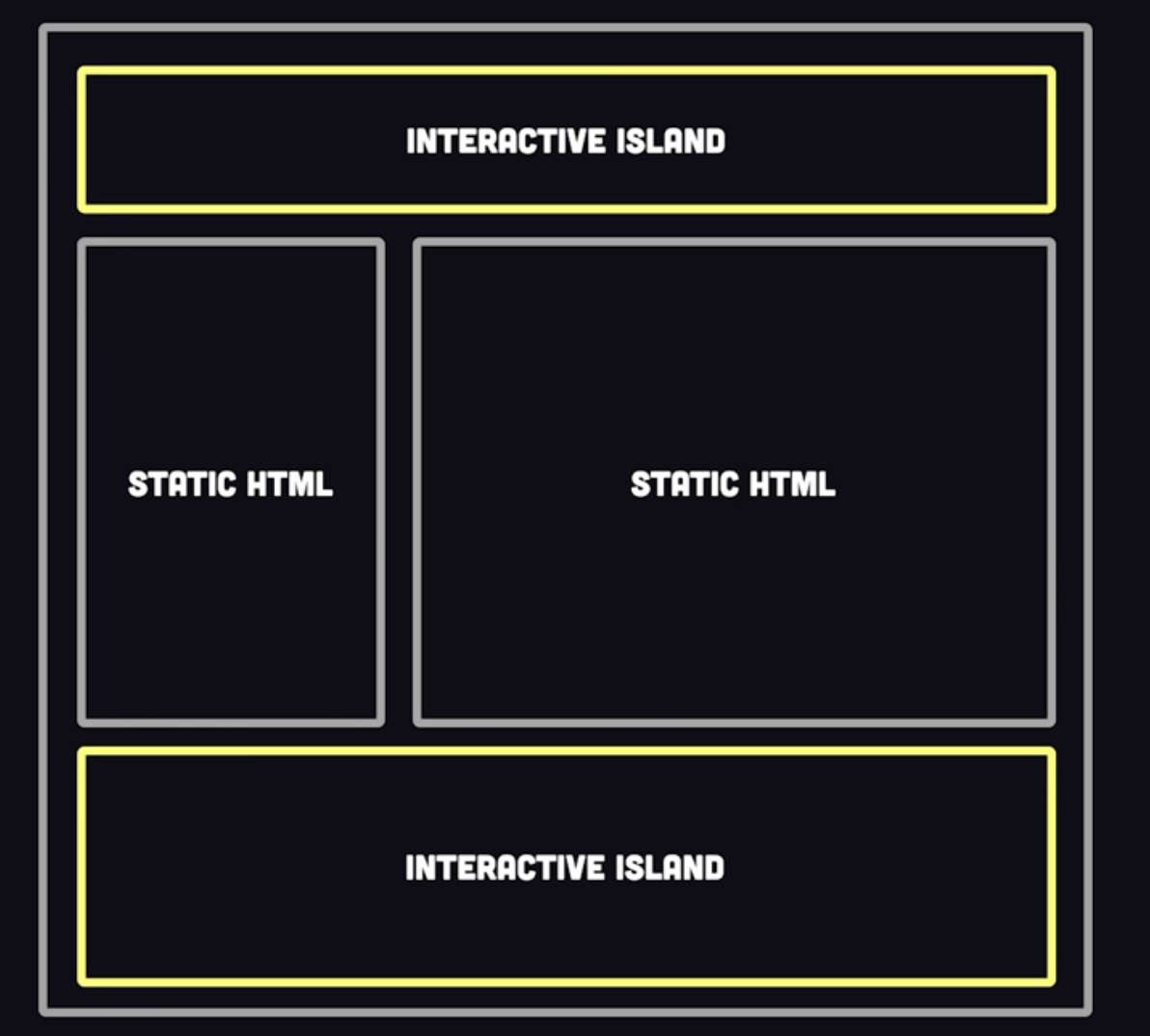
This architecture was pioneered by Astro, which even allows mixing different frontend frameworks on one page — React, Svelte, Vue, etc.
8. Streaming SSR
Also solving hydration issues, Next.js introduced Streaming SSR. This strategy renders multiple components in parallel, with each component’s loading and hydration lifecycle independent — rather than everything rendering at once. This reduces the perceived “frozen” time by letting parts of the page become interactive while others are still rendering.
9. Resumability
Hydration is so problematic that despite various optimization approaches from frameworks, someone went further. The Qwik framework introduced “Resumability” — which eliminates hydration entirely.

In this strategy, event (interactivity) code is embedded directly in the HTML:
<button on:click="./chunk.js#handler_symbol">click me</button>At build time, required JavaScript is split into tiny chunks, with any needed JS lazy-loaded in the background — no hydration at all.
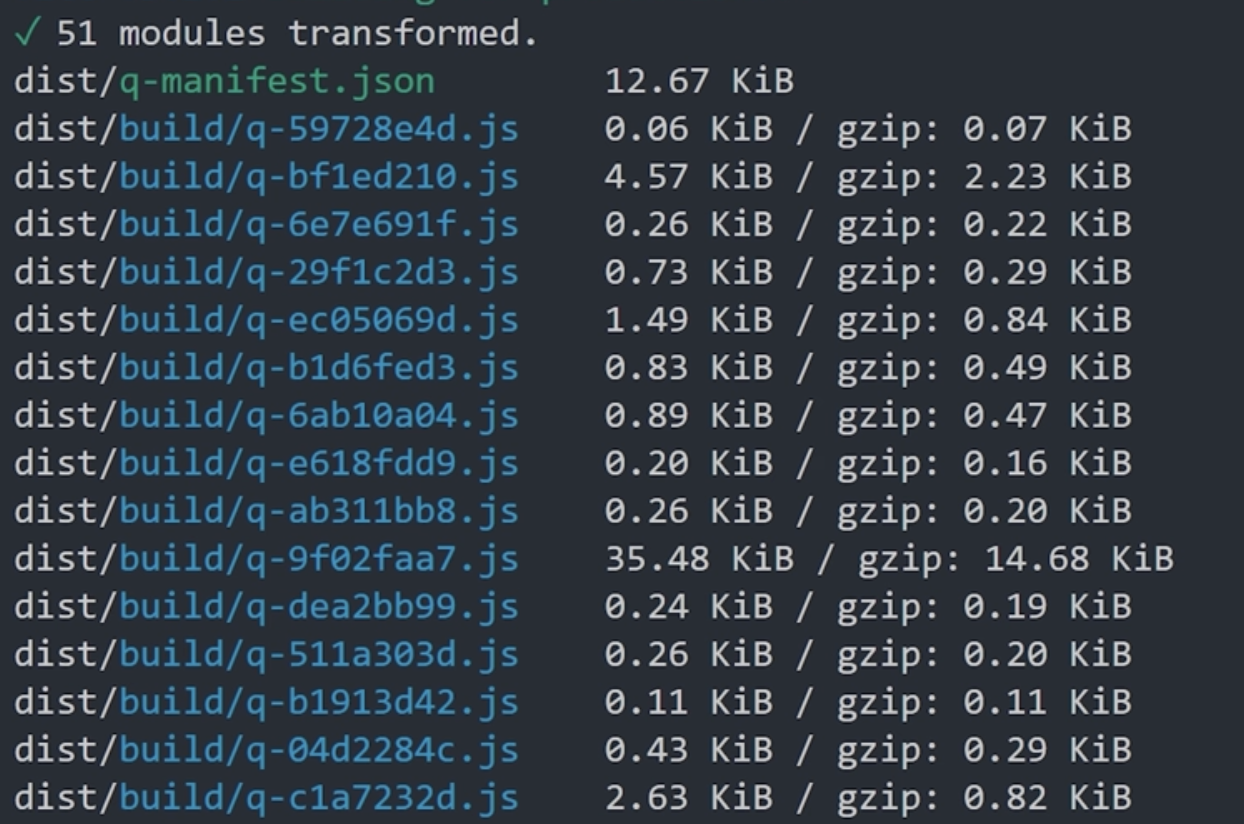
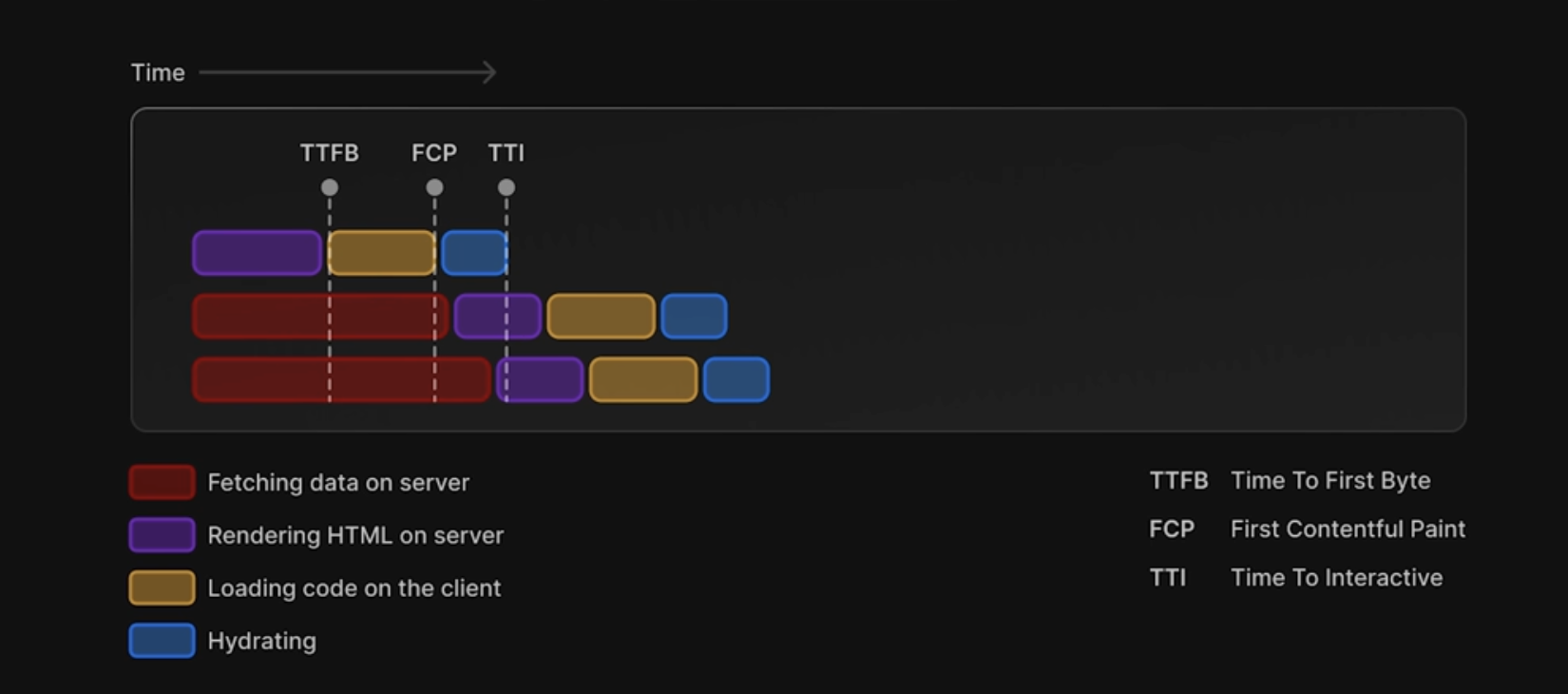
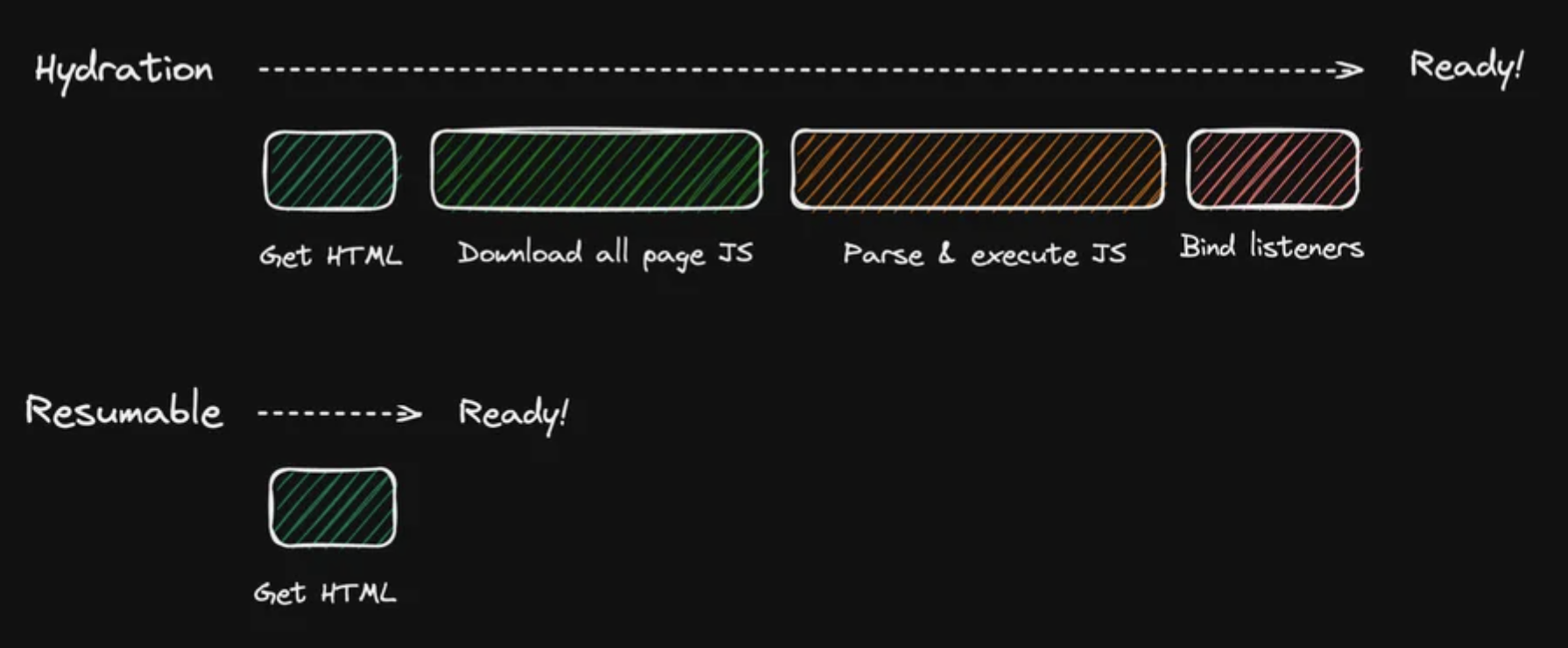
Resumable applications skip the hydration step entirely, resulting in dramatically faster response times compared to hydration-based approaches, and vastly smaller initial bundles compared to traditional CSR.
The chart below compares rendering timelines for hydration-based and resumable applications:
Hydration Evolution
The second half of the article keeps reaching for the same goal: less hydration to wait on, less freezing on the page.
01Traditional hydrationWhole-page takeover
The browser must reconnect the entire component tree to interaction — the classic 'I can see it but I can't use it'.
02IslandPartial hydration
Only comments, search boxes, filters — the parts that need interaction — ship JavaScript.
03Streaming SSRChunked delivery
Components arrive at component boundaries, so the page never has to wait for everything at once.
04ResumabilityHydration mostly skipped
Logic is restored only when interaction actually occurs, breaking startup cost into smaller pieces.
My Summary
Most websites today use CSR or SSR strategies. I believe SSR already meets the needs of most websites and clients — other rendering patterns are worth understanding but not necessarily adopting immediately. Most frameworks have these rendering strategies well-abstracted, requiring only basic configuration.
Looking at the evolution: early web development was all backend, then CSR brought frontend-backend separation. Now SSR, SSG, ISR and full-stack frameworks like Next.js and Nuxt are making “frontend-backend separation” a thing of the past — except now the frontend does it all.

ARTICLE REACTION

I enjoy building weird stuff with code. A few months ago, I made this anti-dislike wind generator that literally blows the dislike button away from your cursor. It’s just for fun :)